Recently I took advantage of the Amazon Prime Day to get myself an Amazon Kindle Paperwhite – I have had my Kindle Fire since 2013 but it doesn’t give me the same experience as a normal Kindle, plus I’ve wanted a separate device for using with the Amazon Japan Kindle store. You can only register one account per device so if you only have one you will need to decide which store you want to use, as you will lose all of your content from your device’s current store (it’ll still be on the cloud ready for when you sign into the account again).
This is less of a guide and more of a how I did it with a new Kindle – there are plenty of better guides out there!
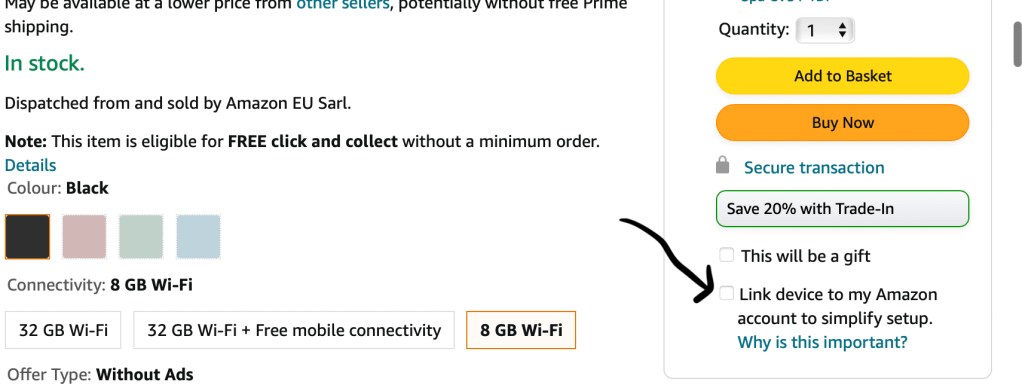
Firstly I bought a Kindle – when buying, I unselected the ‘Link device to my Amazon account to simplify setup’ box. This meant that when I received my Kindle from Amazon UK I could sign into my Amazon Japan account right away.
When the Kindle arrived I went through the set-up but signed into my Amazon Japan account. Note: my email addresses on both are the same but the passwords are different – it still knew it was my Amazon Japan account, but if you are worried about confusing the two then set up a new Amazon Japan account using a different email address. When signed in and loaded I could see the Amazon Japan Kindle store.
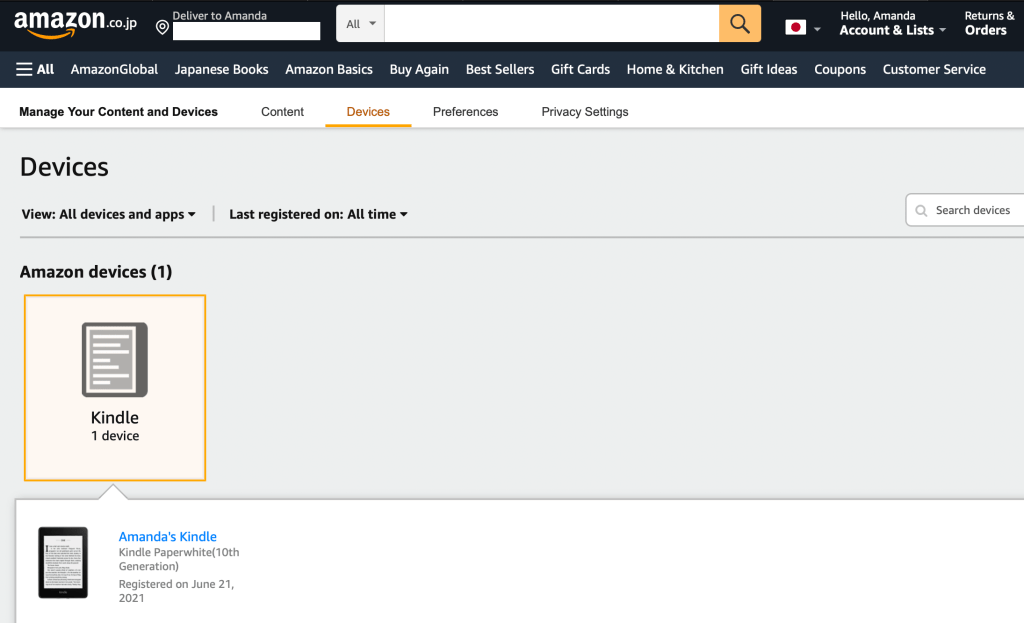
Then I logged into my Amazon Japan account, went to My Account, then Manage Your Content and Devices (I saw my newly registered Kindle here as shown below), and under Preferences there’s an option called Country/Region Settings. The address you enter here should be a Japanese address if you want to be able to buy Japanese ebooks! It doesn’t matter what you put (I picked a stationery shop I love in Tokyo), and I used my own phone number since I struggled with the phone number format. Once I did that it recognised it as Japan… hooray!
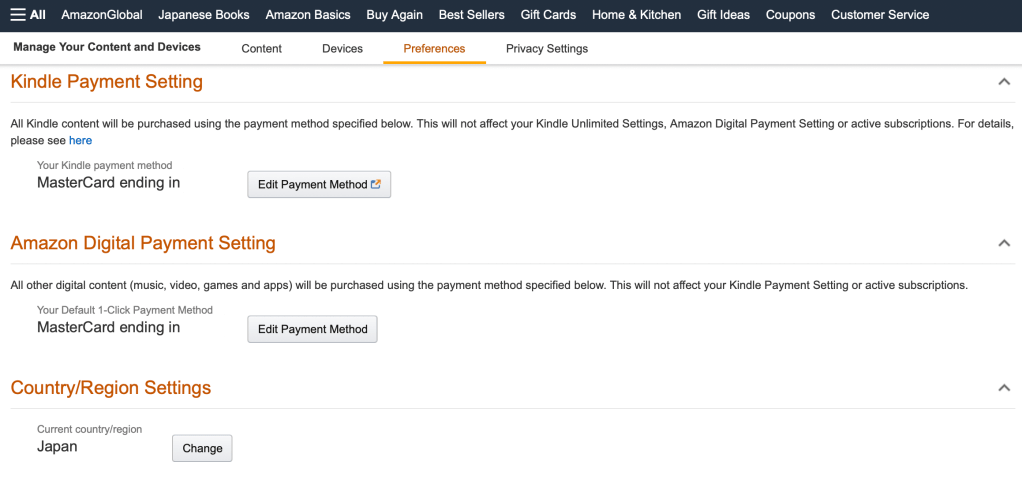
All that was left was to add a payment card for one-click payments so I used my debit card with no international fees for this as I don’t have a credit card (if you’re planning to use this method watch out for that!), and job done! The final step was to make sure my VPN was on since without it I found that I’d get a warning to say it looked like I was travelling, so it’s best to use a VPN to prevent this from popping up.
So far I’ve enjoyed reading 日本人の知らない日本語 – I’ve watched most of the dramatisation of this, and the manga is just as funny!
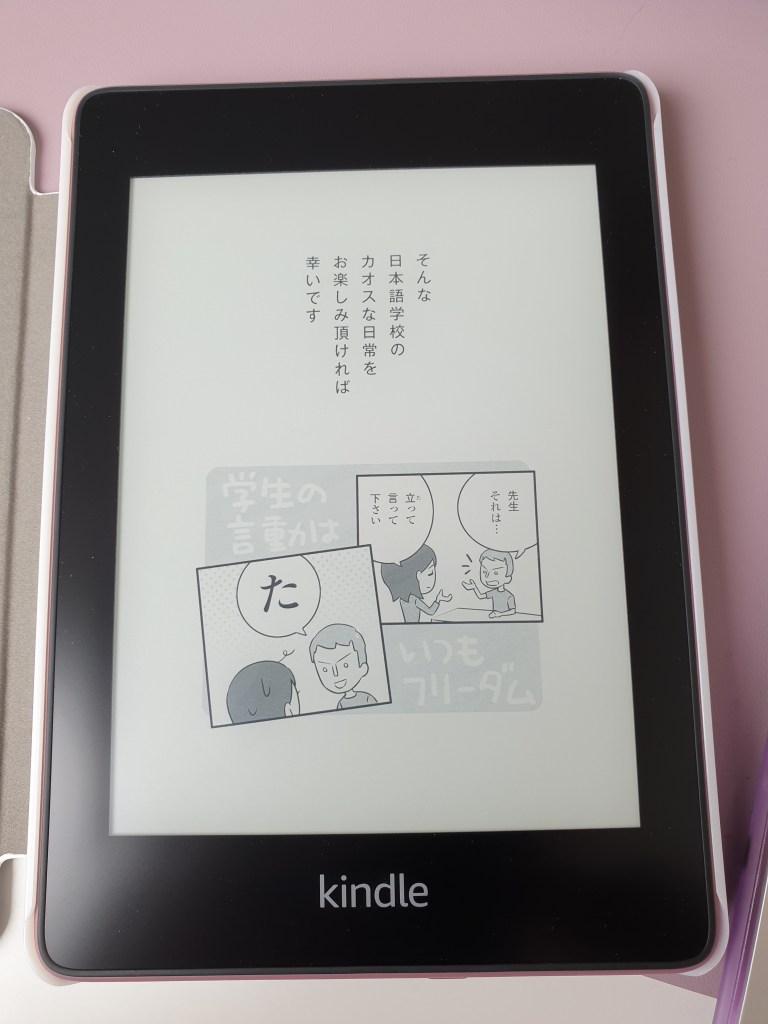
If you plan to read a lot in Japanese then I highly recommend getting a Kindle! Kindle books are significantly cheaper when you take into account shipping from Japan, and if you have the patience for it there are tutorials out there to take words you’ve looked up on the Kindle dictionary and port them to Anki cards. Personally I’m happy using my phone and laptop for this (and I’m lazy), but there’s a lot you can do with it. And your Kindle doesn’t need to be in Japanese, you can still have it in English if the thought of having it all in Japanese scares you.
Happy reading! 頑張って!
 アマンダの勉強 / Amanda Learns!